

1. Click on the Apple menu at the top left of your screen.

Click System Preferences…
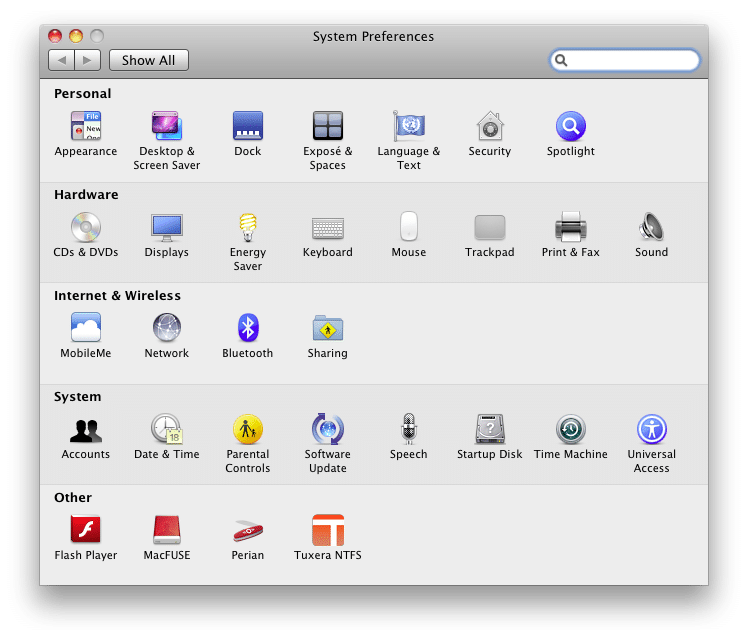
2. Click Network
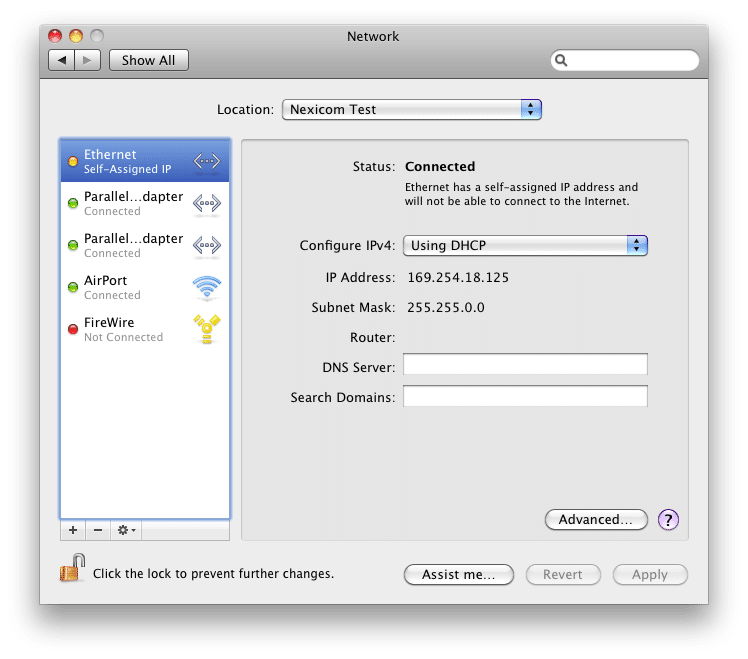
3. Click on the drop down menu labeled Configure IPv4.
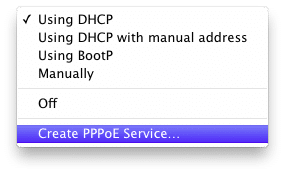
4. Choose the option labeled Create PPPoE Service…
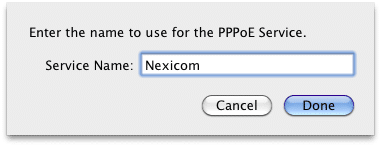
5. Type Lansdowne in the box labeled Service Name.
Click Done.
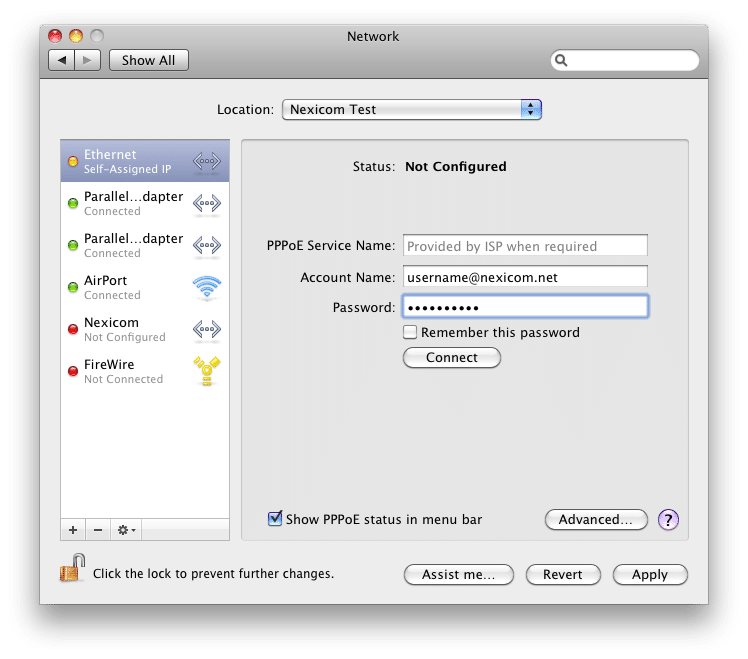
6. Fill in the fields with the corresponding information:
- PPPoE Service Name – Leave this field blank
- Account Name – Your Lansdowne username (Must end with @Lansdowne.net)
- Password – Your Lansdowne password
Click Apply.
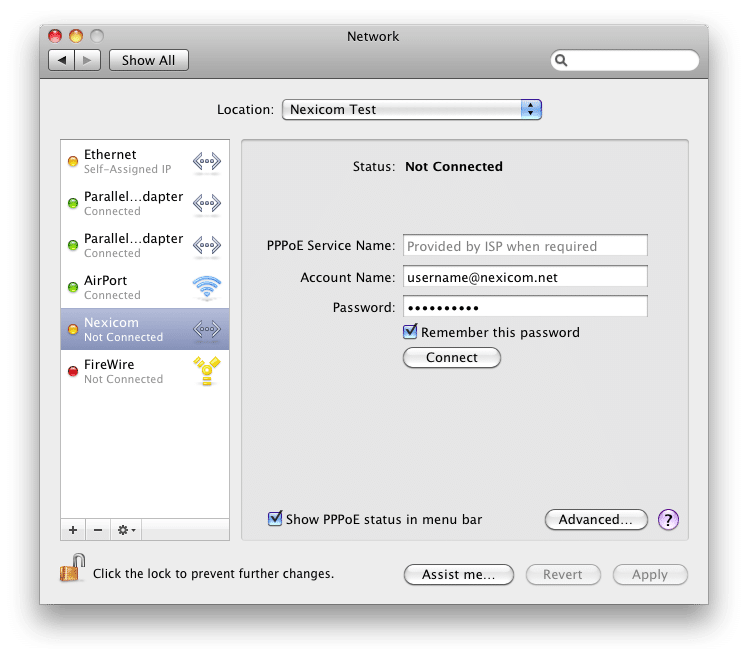
7. Your connection has now been successfully created.
Click Connect to begin using your Lansdowne service.


